Calendars
The Calendars section defines time schedules used to control when monitoring operations and automation actions are active. Calendars represent business hours, maintenance windows, or any other time constraint that the platform should respect when triggering alerts and automated actions.
Info
Calendars do not act on their own — they are referenced by Downtimes and Dispatchers to determine when those rules should be active or suppressed.
Opening the Calendars Section
From the main navigation menu, go to Tracking → Calendars.
Unlike most sections, Calendars opens directly in a table view — there is no pre-filter dialog. The full list of available calendars is displayed immediately.
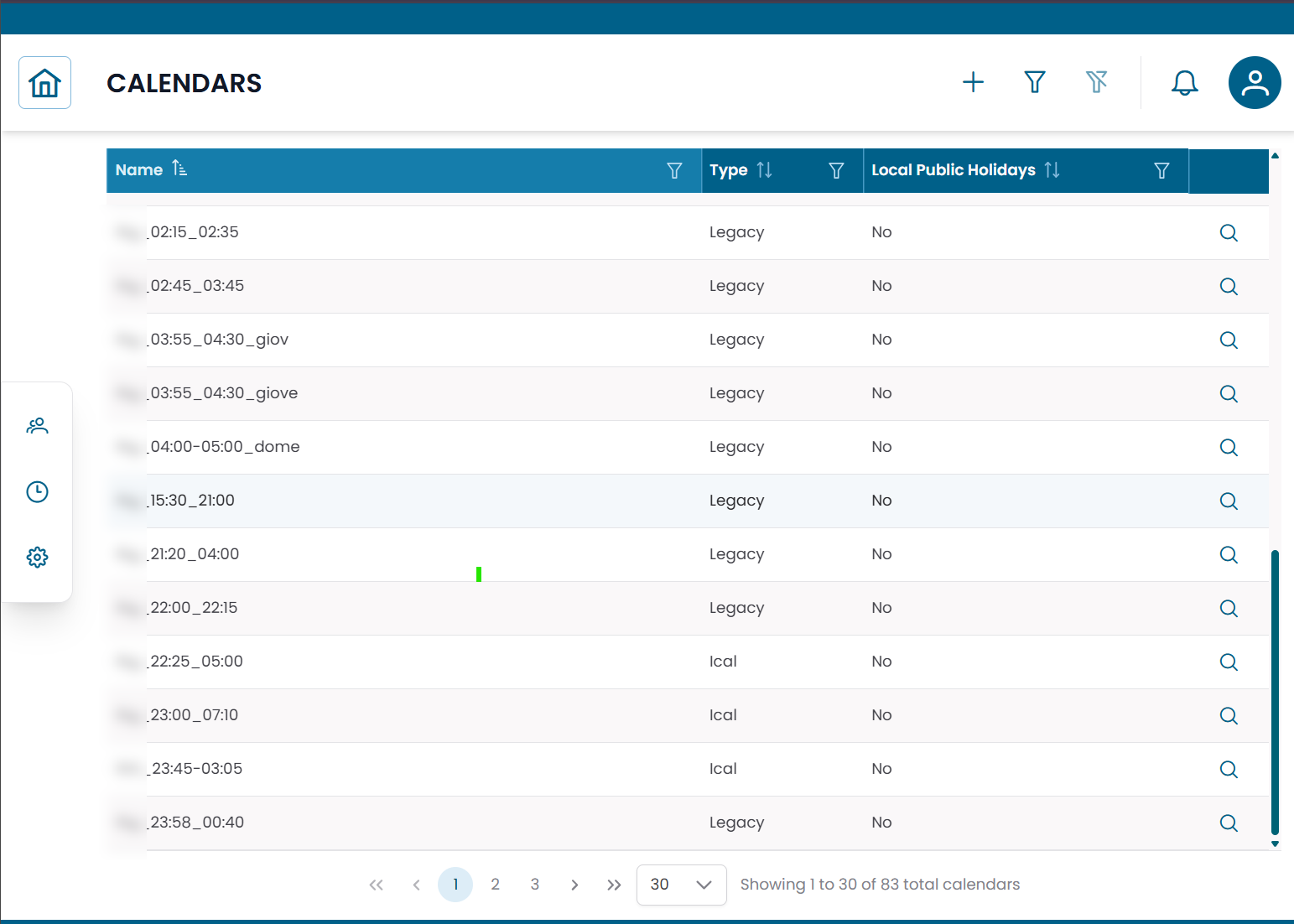
Fig.1 - Calendars table
Calendar Types
XAUTOMATA supports two types of calendars:
| Type | Description |
|---|---|
| Legacy | Weekly schedule defined manually with up to two time intervals per day |
| ICAL | Schedule imported from an external iCalendar (.ics) source |
Use Legacy when you need to define a fixed weekly schedule directly in the platform. Use ICAL when your organization already maintains a calendar in an external system and you want to synchronize it.
Creating or Editing a Calendar
Click NEW to create a calendar, or click the edit icon on an existing row to modify it.
The calendar form includes the following fields:
| Field | Description |
|---|---|
| Name | Unique name of the calendar |
| Type | Legacy or ICAL |
| Timezone | Timezone used to interpret the schedule |
| Local Public Holidays | Whether local public holidays should be treated as non-working days |
Legacy schedule
For Legacy calendars, define up to two time intervals for each day of the week.
Each day supports:
| Field | Description |
|---|---|
| Interval 1 Start | Start time of the first working interval (e.g. 09:00) |
| Interval 1 End | End time of the first working interval (e.g. 13:00) |
| Interval 2 Start | Start time of the second working interval (e.g. 14:00) |
| Interval 2 End | End time of the second working interval (e.g. 18:00) |
Leave both intervals empty for a day to mark it as non-working.
ICAL schedule
For ICAL calendars, provide the URL or content of the iCalendar source to import the schedule.
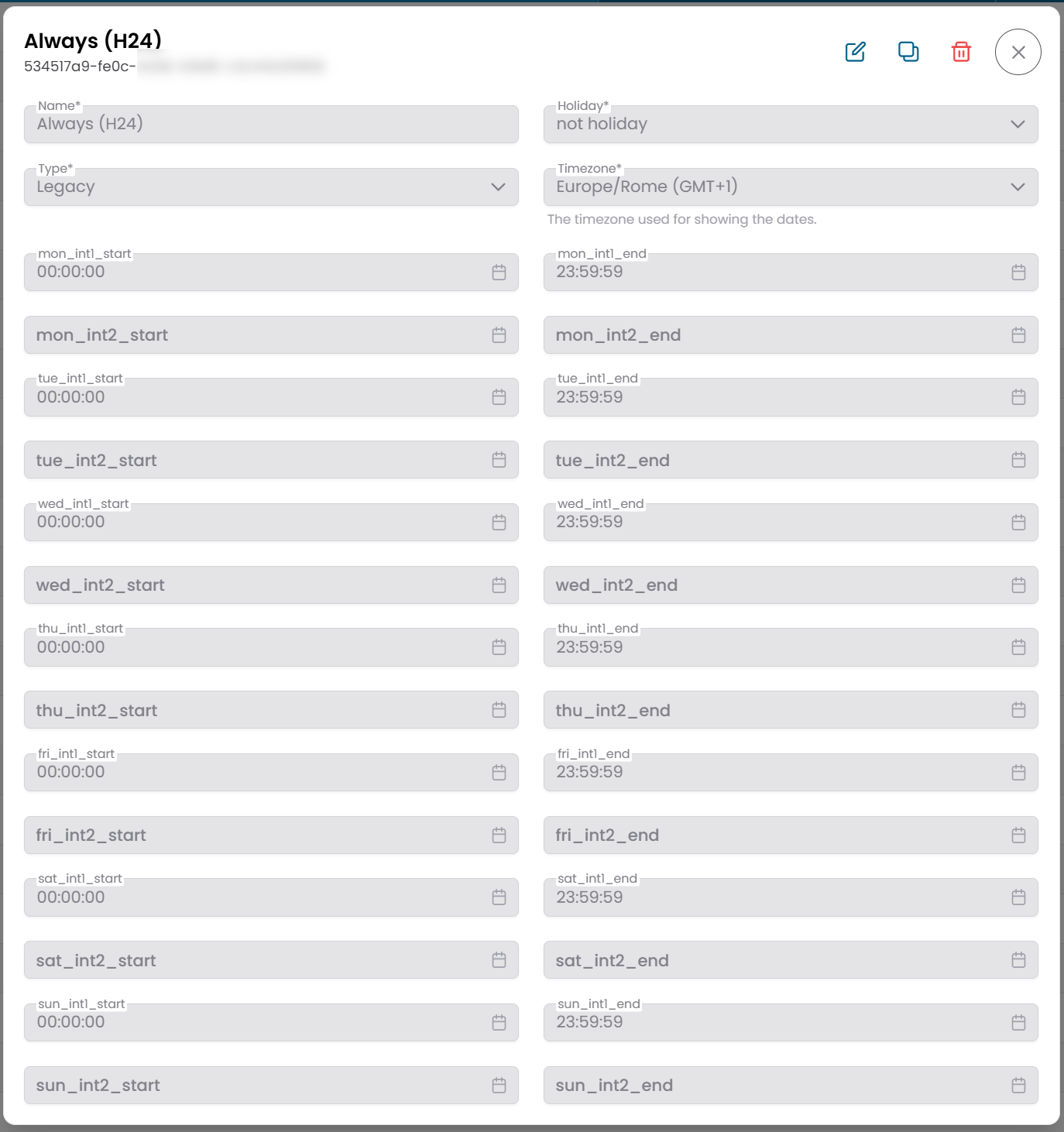
Fig.2 - Calendar edit form — Legacy type
Note
To see how calendars are used in practice, see Downtimes and Dispatchers.