Virtual Domains
The Virtual Domains section manages logical partitions used to organize users, groups, and probes within XAUTOMATA. Virtual domains act as administrative boundaries — useful in multi-customer or multi-environment deployments where different scopes need to be clearly separated.
Opening the Virtual Domains Section
From the main navigation menu, go to Administration → Virtual Domains.
Unlike most sections, Virtual Domains opens directly in a table view — there is no pre-filter dialog. Use the search controls in the table header to filter records directly.
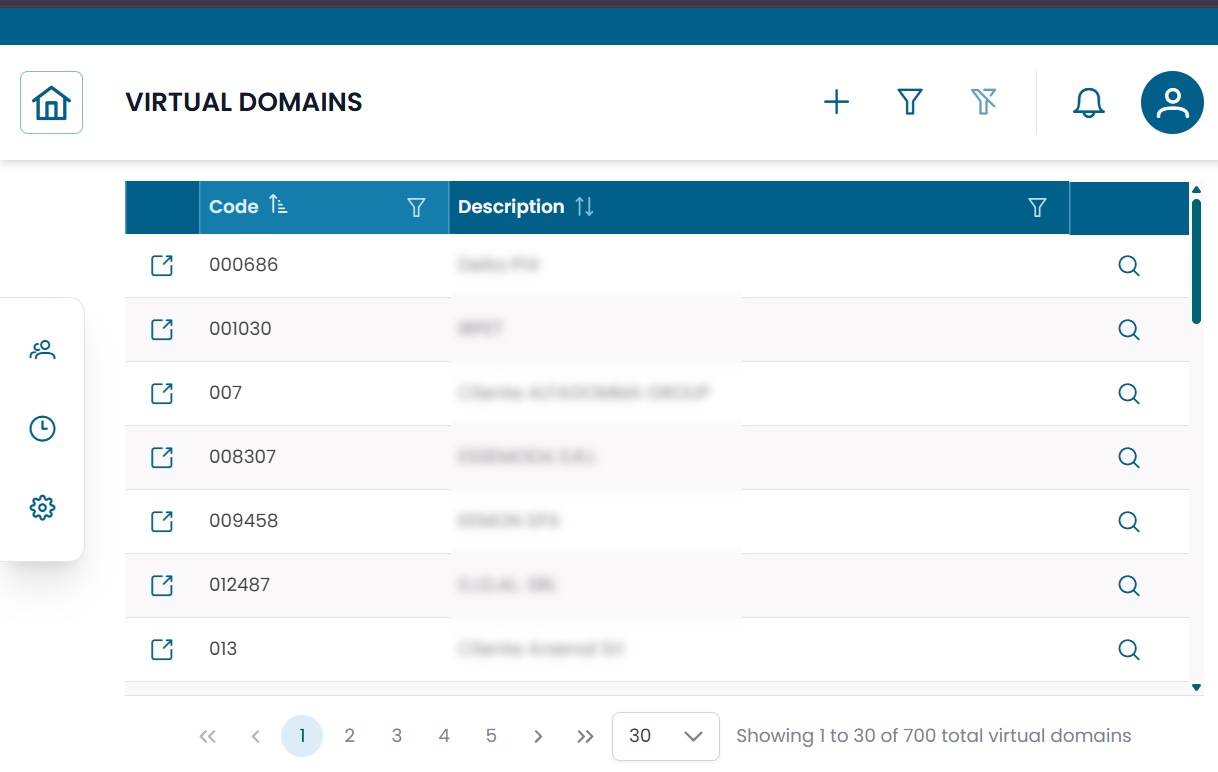
Fig.1 - Virtual Domains table
Virtual Domain Details
Click the search icon (🔍) on any row to open the virtual domain record.
| Field | Description |
|---|---|
| Code | Unique identifier of the virtual domain |
| Description | Descriptive name or label |
From this dialog you can:
- edit the virtual domain
- duplicate the record
- delete the record
Connections View
Click the link icon (🔗) on any row to open the Connections View.
This is the main operational view for virtual domains. It shows the entities associated with the selected domain:
| Tab | Description |
|---|---|
| Users | User accounts belonging to this virtual domain |
| Groups | Infrastructure groups scoped to this virtual domain |
| Probes | Monitoring probes associated with this virtual domain |
Users tab
Shows all users linked to the virtual domain. Columns include User, Email, Phone, Status.
Groups tab
Shows the infrastructure groups associated with the virtual domain. Columns include Name, Description, Type, Site, Status.
Probes tab
Shows the monitoring probes associated with the virtual domain. Columns include Severity, Name, Probe Type, Object, Status.
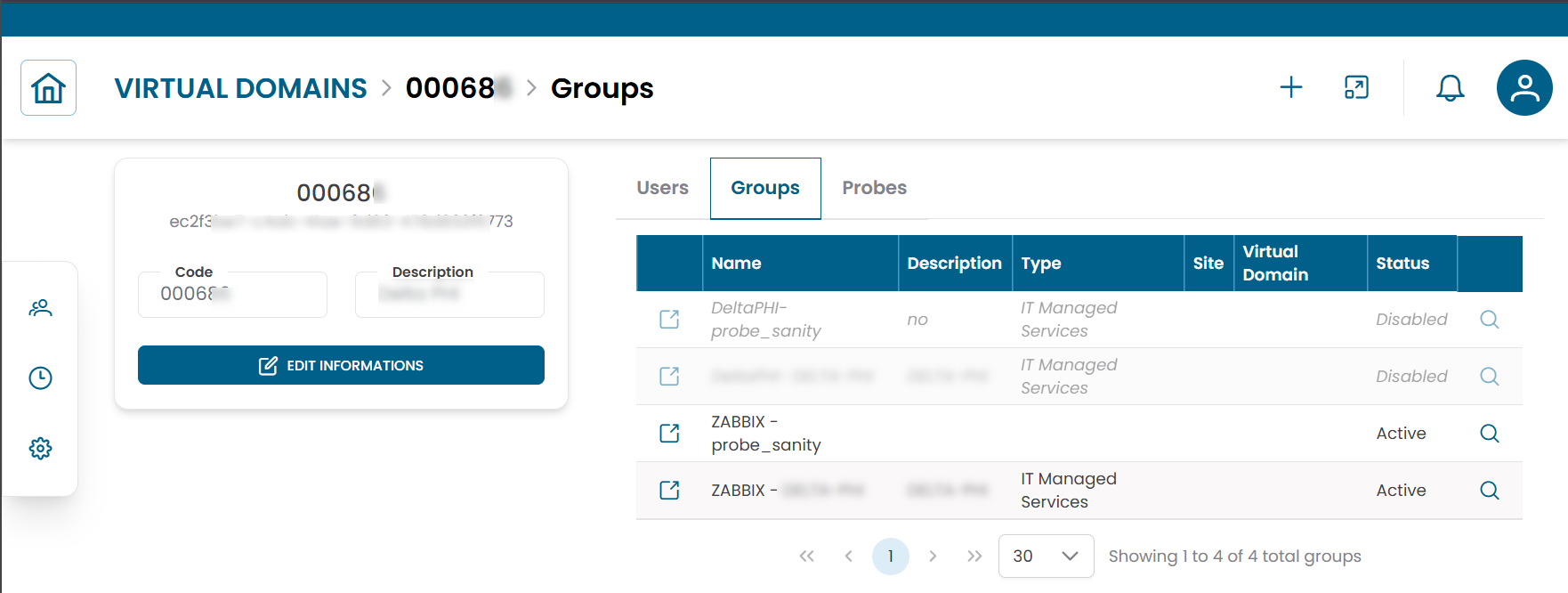
Fig.2 - Virtual Domain connections view