Notification Providers
The Notification Providers section manages the external communication channels used by XAUTOMATA to deliver alerts and automated actions. A notification provider stores the actual connection details for a specific integration — for example an email gateway, a webhook endpoint, or a ticketing platform.
Opening the Notification Providers Section
From the main navigation menu, go to Administration → Notification Providers.
The interface opens with a table listing all configured notification providers.
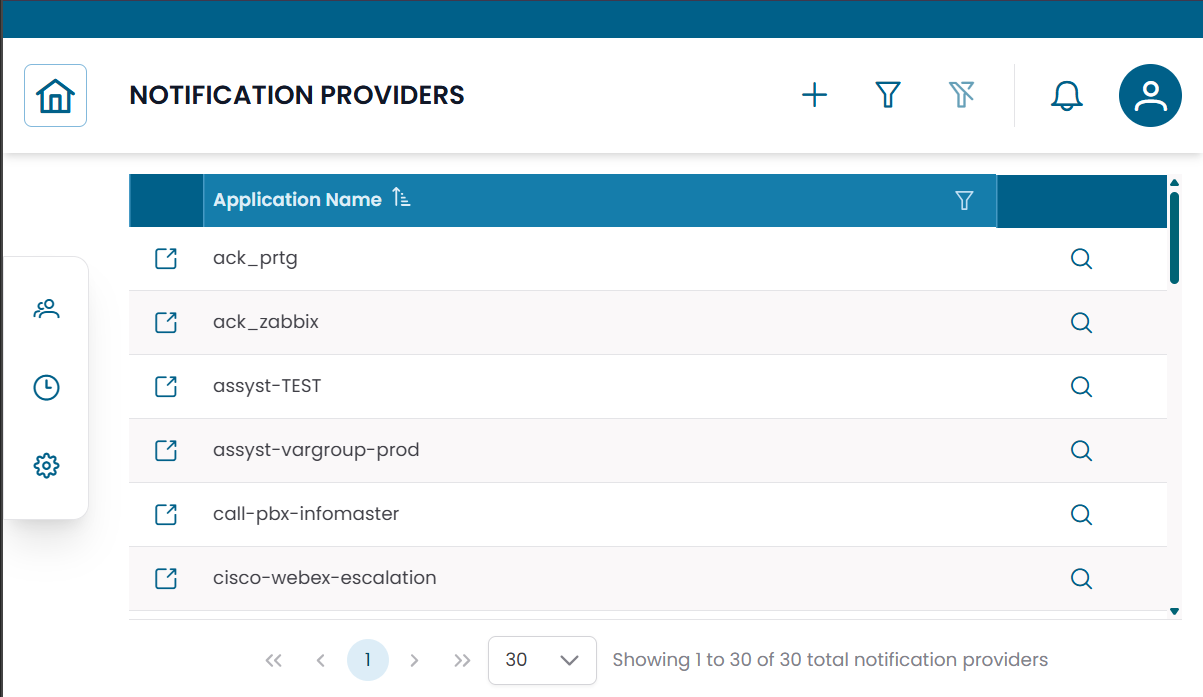
Fig.1 - Notification Providers table
Notification Provider Details
Click the search icon (🔍) on any row to open the provider record.
| Field | Description |
|---|---|
| Application Name | Human-readable name of the provider |
| Notification Provider Type | The provider type used as configuration template |
| Endpoint | JSON configuration with the actual connection parameters |
The Endpoint field contains the connection details specific to the integration — server addresses, API URLs, authentication tokens, or other required parameters. Its exact structure depends on the selected provider type.
From this dialog you can:
- edit the provider configuration
- duplicate the record
- delete the record
Note
The Endpoint configuration is typically set up by the XAUTOMATA delivery team during onboarding. Contact the delivery team before modifying connection parameters.
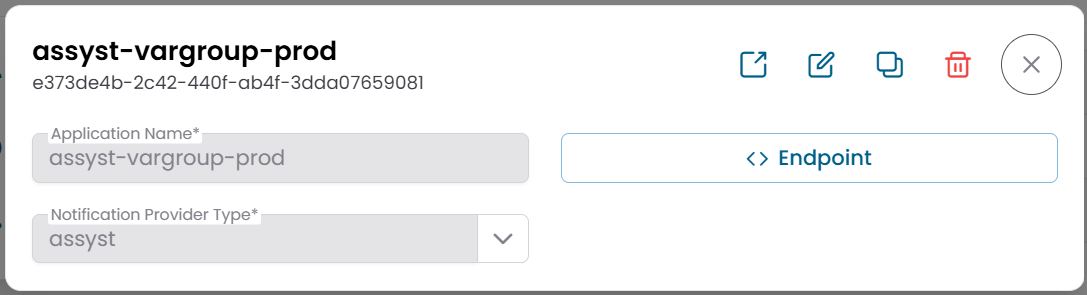
Fig.2 - Notification Provider detail dialog
Connections View
Click the link icon (🔗) on any row to open the Connections View.
| Tab | Description |
|---|---|
| Dispatchers | Automation rules that use this notification provider |
Use this view to see which dispatchers are currently using a provider before making changes to its configuration.
When creating a new dispatcher from this context, the provider reference is pre-filled automatically.
How Notification Providers Fit in the Notification Flow
Dispatcher triggered → Message generated → Notification Provider delivers to External System
- The Dispatcher defines when to act and which message to use.
- The Message defines the content.
- The Notification Provider defines how and where the content is delivered.
Typical delivery targets include email systems, ticketing platforms, webhook endpoints, and external APIs.
Note
Notification providers are based on Notification Provider Types, which define the configuration schema. See Notification Provider Types for details. To configure automation rules, see Dispatchers.