Messages
The Messages section manages the notification templates used by XAUTOMATA to generate the content of alerts and external communication payloads.
Info
Messages define what is sent — they do not send anything by themselves. A message is always triggered by a Dispatcher, which determines when and where it is delivered.
Opening the Messages Section
From the main navigation menu, go to Administration → Messages.
The interface opens with a table listing all available message templates.
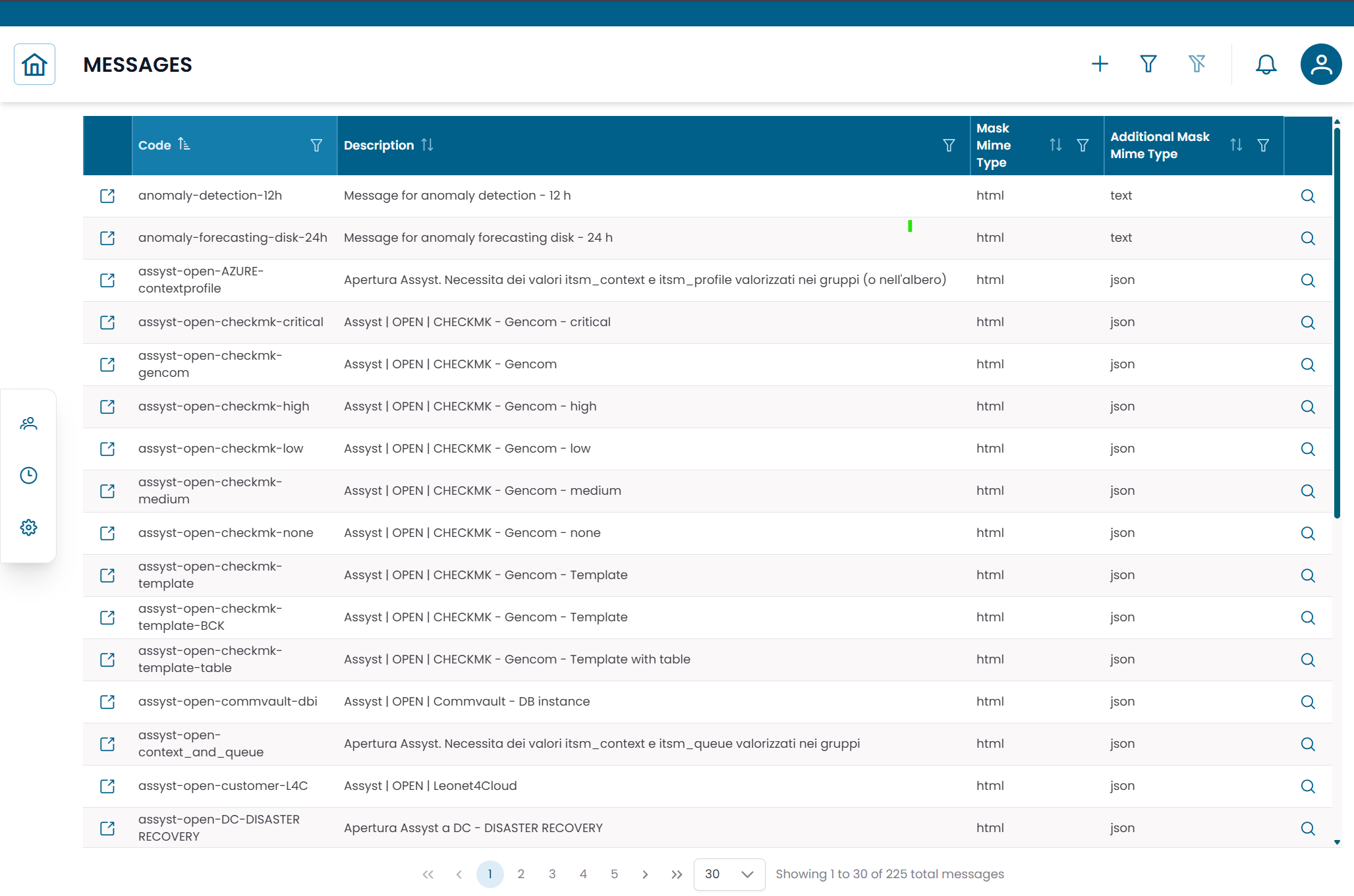
Fig.1 - Messages table
Message Details
Click the search icon (🔍) on any row to open the message record.
| Field | Description |
|---|---|
| Code | Unique identifier of the message template |
| Description | Human-readable description of the template's purpose |
| Mask Mime Type | Format of the main message body (HTML, JSON, or Text) |
| Mask | Main message template with dynamic placeholders |
| Additional Mask Mime Type | Format of the optional secondary payload |
| Additional Mask | Optional secondary payload (used for external system integrations) |
From this dialog you can:
- edit the message template
- duplicate the record
- delete the record
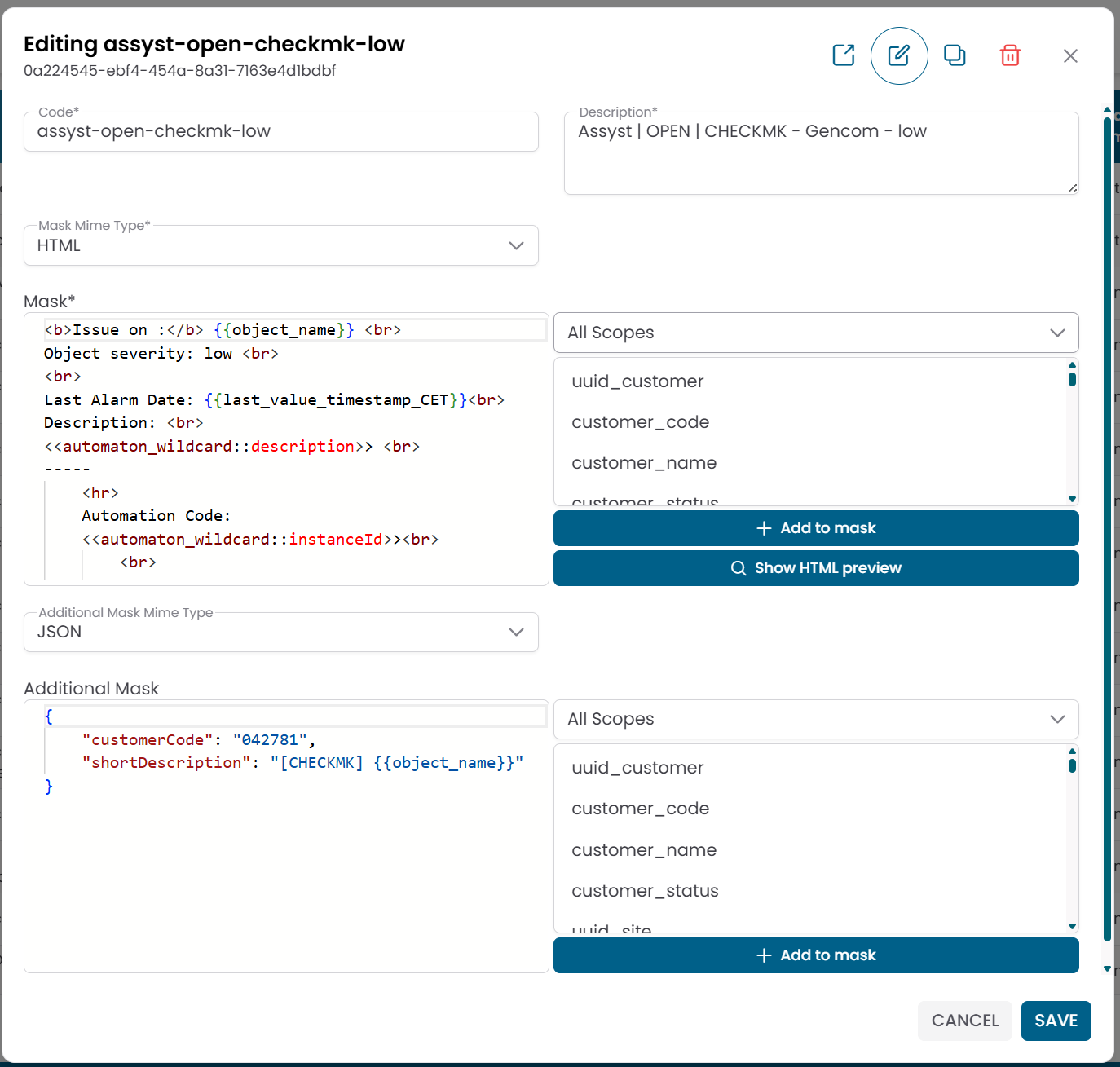
Fig.2 - Message detail dialog
Message Templates and Dynamic Variables
The Mask field is the main notification content. It can include dynamic placeholders that the platform replaces at runtime with values from the monitoring context.
Example of an HTML mask:
html
<b>Issue on:</b> {{object_name}}
Last alarm: {{last_value_timestamp_CET}}
Description: <<automaton_wildcard::description>>
The Additional Mask is an optional secondary payload used when integrating with external systems such as ticketing platforms. It is typically formatted as JSON:
json
{
  "customerCode": "042781",
  "shortDescription": "[CHECKMK] {{object_name}}"
}
Available variable scopes
When editing a mask, dynamic variables can be drawn from the following scopes:
| Scope | Description |
|---|---|
| Customer | Customer-level information |
| Site | Site-level information |
| Group | Group-level information |
| Virtual Domain | Virtual domain information |
| Object | Object-level information |
Note
The specific variable names available depend on the scope and the platform configuration. Contact the XAUTOMATA delivery team for the complete list of available placeholders.
How Messages Fit in the Notification Flow
Monitoring event → Dispatcher triggered → Message generated → Notification Provider delivers
- A monitoring condition occurs.
- The platform's automation engine triggers a Dispatcher.
- The dispatcher uses this Message template to generate the notification content.
- The generated message is delivered through a Notification Provider.
The same message template can be reused across multiple dispatchers, enabling consistent notification content across different automation rules.
Note
To configure the delivery channel, see Notification Providers. To configure the automation rule that triggers this message, see Dispatchers.